The Creative Power of Gates
"The gate might seem like one of the most boring effects in your plugin folder, but it's seriously underrated when it comes to creative sound design. I'll show you how to use gates to shape reverb tails into unique textures, give static keys and synths an organic, evolving groove, add character to drums, and build glitchy, rhythmic percussion loops.
If you’ve only used gates for noise control, you’re missing out on a ton of creative potential, so let's dive in."
Credit: @Poldoore
Introduction
Key idea:Overview of gates as a creative tool beyond basic noise control; outline of fundamentals followed by applications.Process / settings:Explore core controls (threshold,floor,attack,hold,release) before creative demos; compare with a compressor.Result:Sets context for using gates musically.Notes:(non précisé).
Start 00:00 → 00:15
What is a gate?
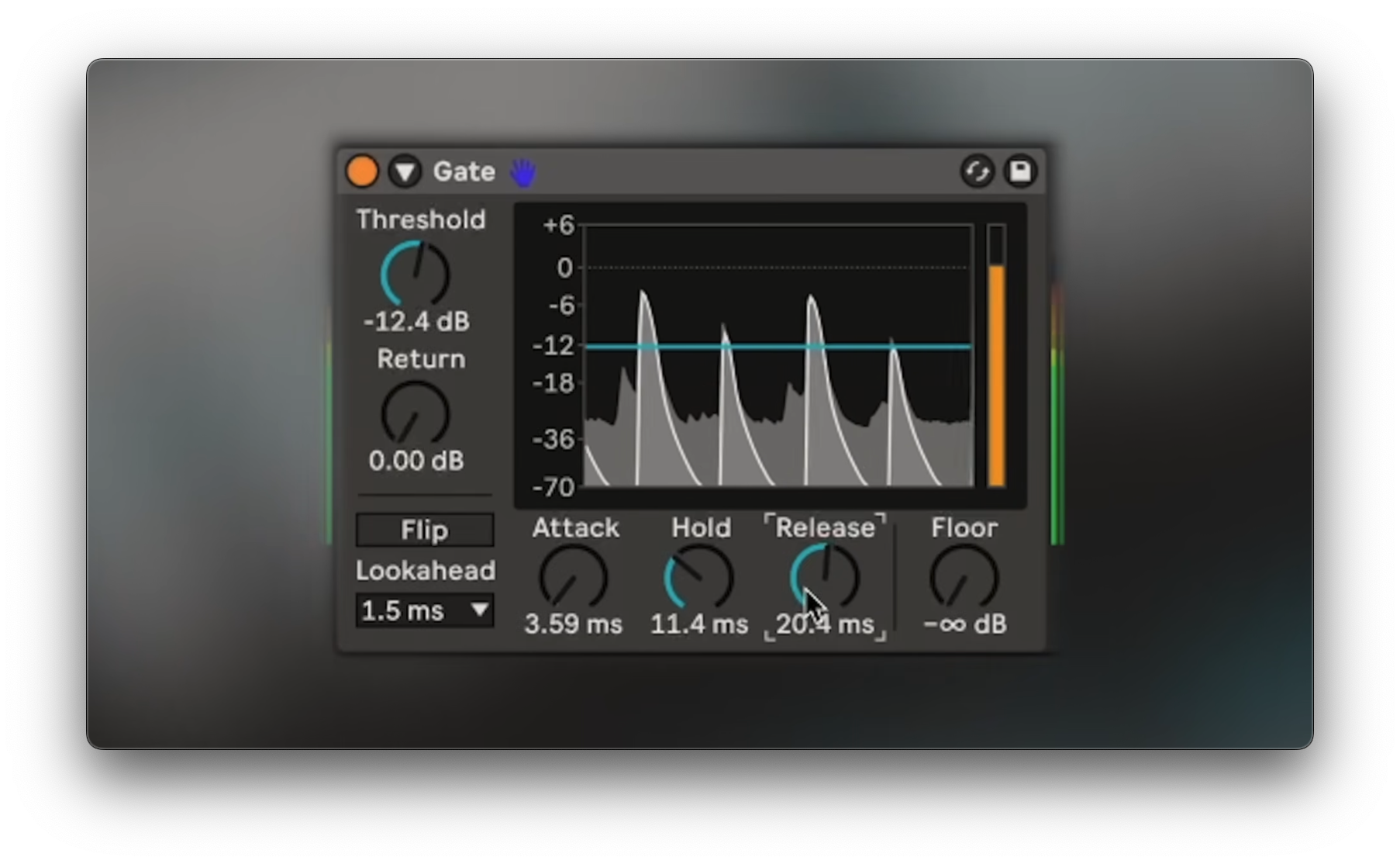
Key idea:A gate reduces or mutes signal below athreshold—the opposite of compression, which reduces levels above the threshold.Process / settings:Setthreshold; choosefloor(to-∞for full cut); tuneattack,hold,release; uselook aheadfor fast transients;flipto audition what’s removed;return(open/close offset) to reduce choppiness.Result:Cleaner tracks and controlled ambience; typical uses include silencing breaths/noise in vocals and reducing drum mic bleed.Notes:(non précisé).
Start 00:15 → 03:22
Bouncy pad
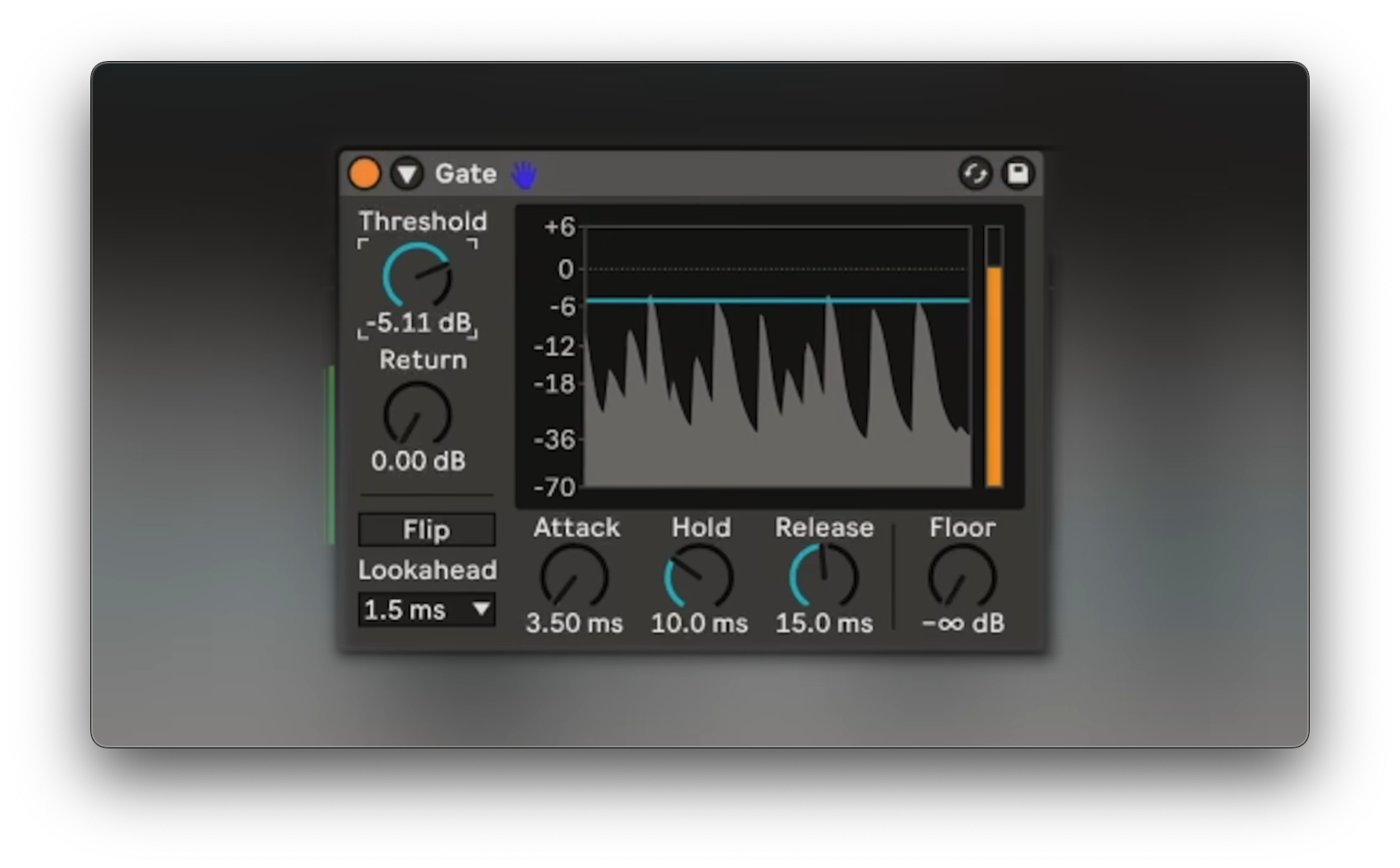
Key idea:Side‑chain a gate to rhythmic transients to make a static pad groove.Process / settings:- Add two parallel instances of
Sound Toy Crystallizer(one+1 oct, one+2 oct) and pan L/R for width. - Insert a gate on the pad; activate side chain; feed a drum break (use
preservesettings to shorten sustain and emphasize transients). - Adjust
threshold(controls which hits trigger), lengthenreleasefor smoothness, raisefloorto retain body. - Side‑chain to the kick for pumping; automate
release; or map anLFOtorelease(non‑integerrate, fine‑tunedepth/offset). - Rearrange the break to reshape feel; add sustained bass; use a visual EQ check for octave; shift via
MIDI pigeondevice. - Low‑end focus with
Auto FilterMS2type (Corg MS‑20‑inspired) anddrive; copy the modulated gate and the kick side‑chain compressor to the bass; EQ some bass from the pad if muddy.
- Add two parallel instances of
Result:Pad and bass adopt the drum groove with evolving movement and width.Notes:Keep LFO adjustments tiny—depth/offsetchanges have large impact.
Start 03:22 → 12:06
Stuttering synth
Key idea:Use a programmed side‑chain trigger (e.g., hi‑hats) to create robotic, sequenced gate rhythms.Process / settings:- Chords: basic
meltpatch with EQ and chorus; side‑chained to kick. Bass: Ableton808 Drifter, ducked by kick. - Gate the chord channel; route hi‑hats into the side chain.
- Duplicate hats as a muted
gate trigger; set gate side‑chain to it; generate a pattern with Live’s MIDI generative tools. - Tweak
steps,density,patternto taste. - Example: choppy bassline in track home by gating the bass high‑end to a
1/16hi‑hat loop. - Consider
Gate Labby Audio Modern for presets and stereo options.
- Chords: basic
Result:Tight, mechanical stutters that lock to a designed pattern.Notes:(non précisé).
Start 12:06 → 15:10
Textured drums
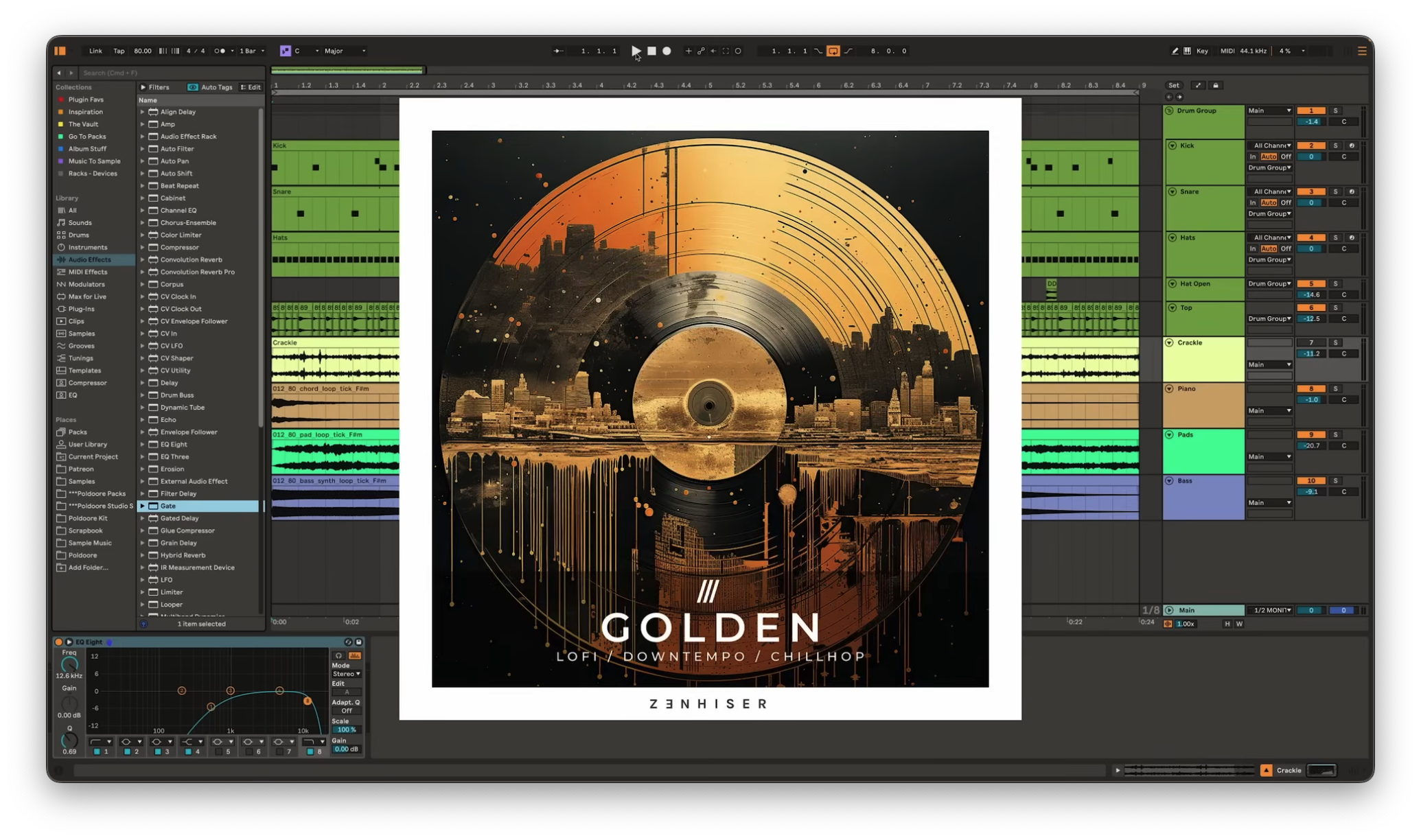
Key idea:Combine gates and reverbs to glue textures to hits and shape evolving ambience.Process / settings:- Build a dreamy lo‑fi loop from the
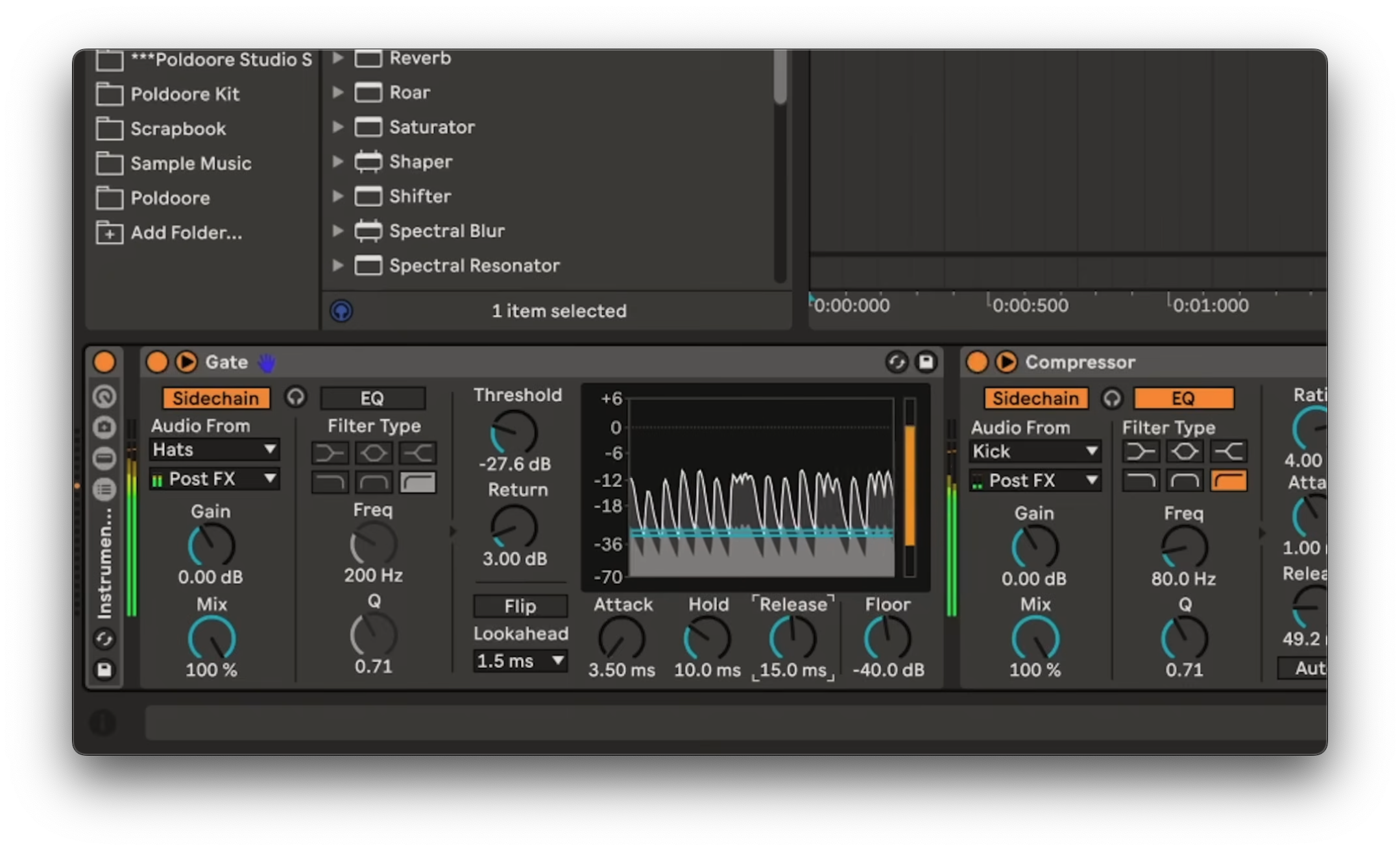
goldensample pack (forZenheiser) found onSplice 2; layer a field recording of crackle for airy top end. - Side‑chain gates from
kick, thensnare, thenhi‑hatsto make the crackle follow the groove. Use parallel chains (audio effect track) when using multiple gates; shortenhold/releasefor small hat samples. - Add
Sound Toy Superplayreverb to snare on a parallel channel (dry +100%reverb). - Clean the reverb with EQ: cut around
200 Hz; dip a few dB between1–5 kHz. - Place a gate before the reverb; push settings for the shortest
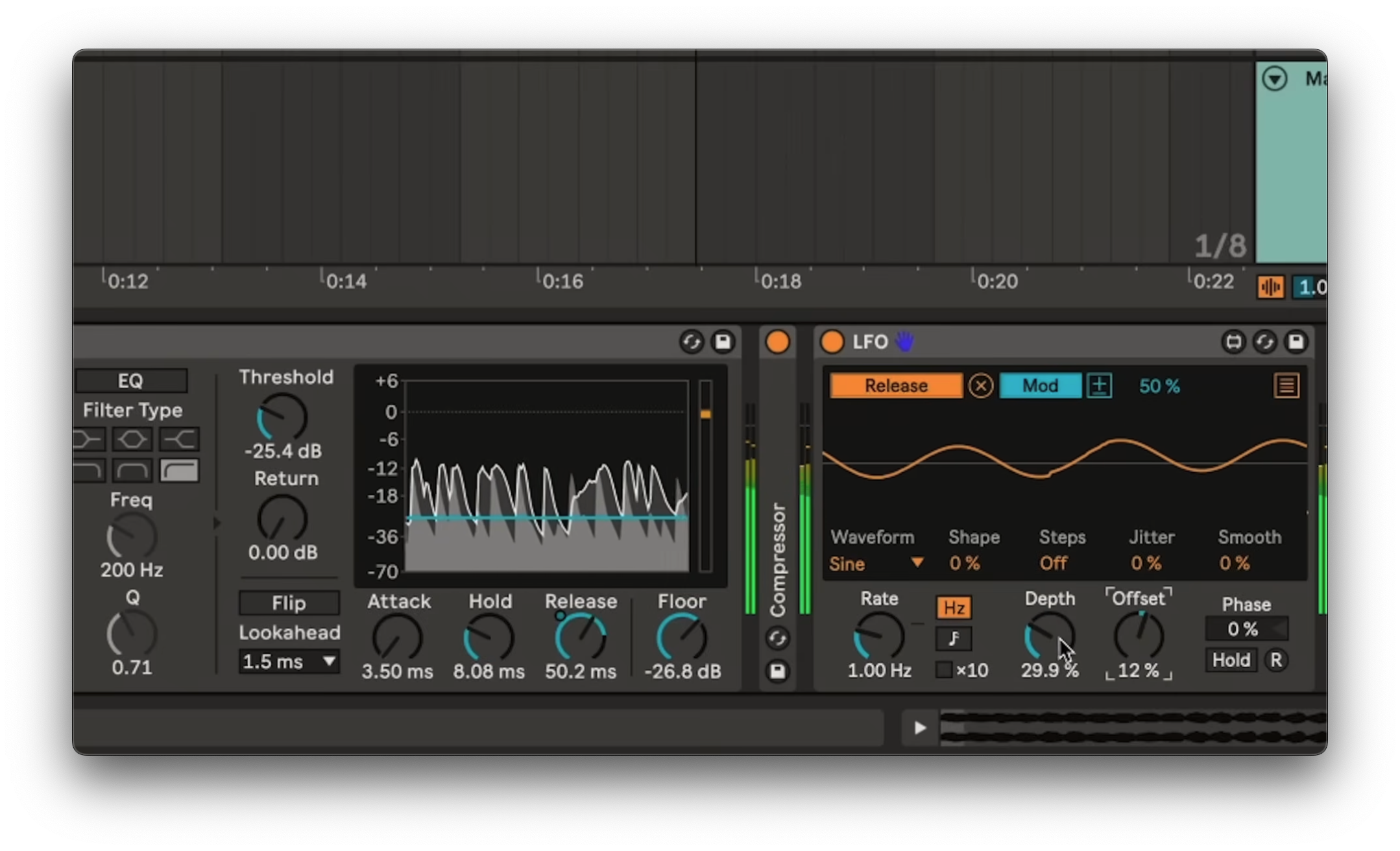
click; modulatereleasewith anLFO(waveformrandom) for evolving character. - Try
Arttoria'sspring reverb plugin; setwidth: stereo,blend: 100%; shorter clicks yield more rubbery/boinky springs.
- Build a dreamy lo‑fi loop from the
Result:Crackly textures locked to hits; dynamic, characterful reverb that varies over time.Notes:Don’t stack gates in series when targeting different drum hits—use parallel chains or later gates may never open.
Start 15:10 → 22:43
Classic 80's gated reverb
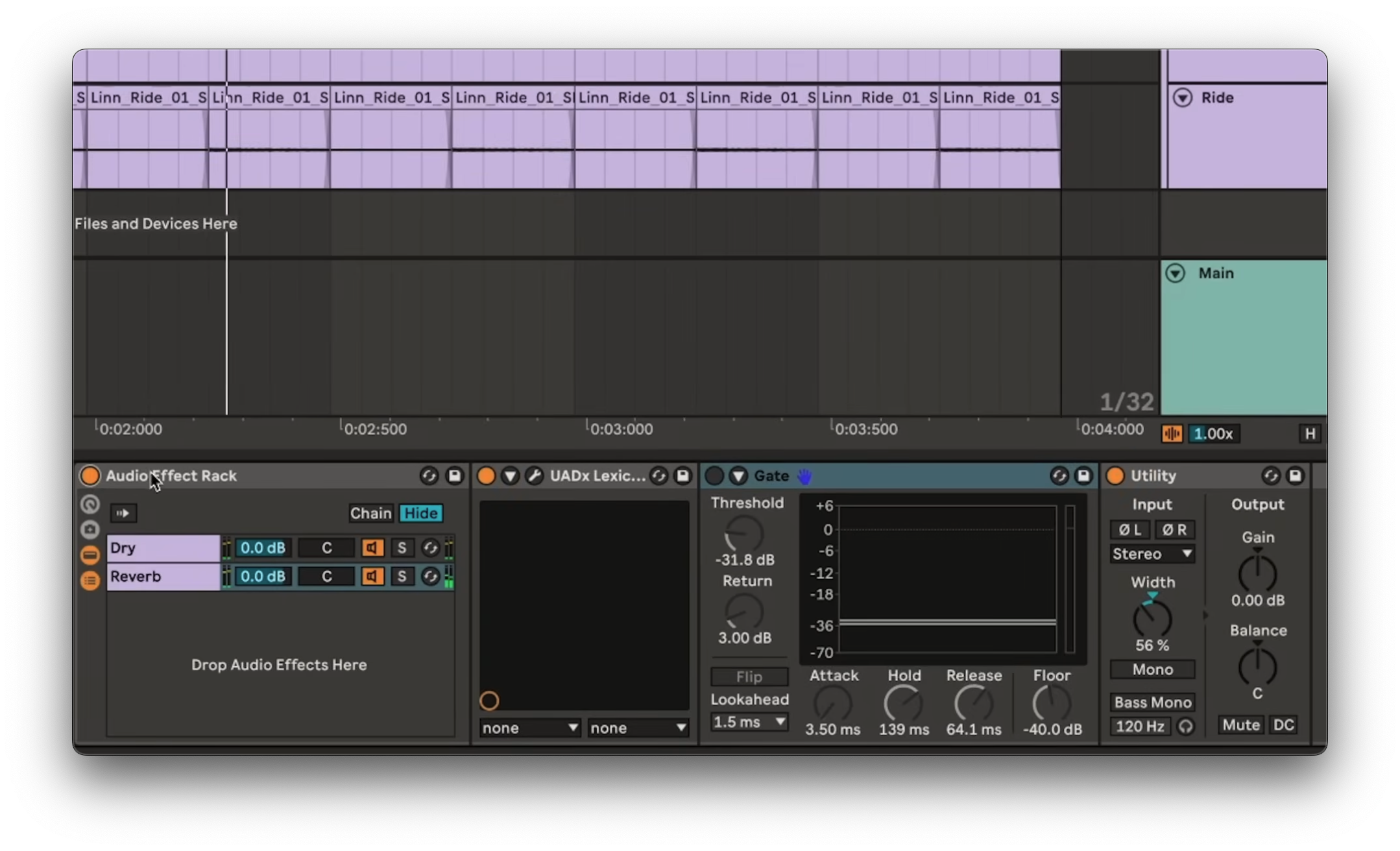
Key idea:Place a gate after reverb to chop the tail for that tight 80s snap.Process / settings:- Disco‑inspired loop; add
lexiconreverb to the clap on every second snare; narrow the reverb usingutility tools with control. - Engage the gate after reverb; tune
holdandreleaseto sculpt tail shape/length.
- Disco‑inspired loop; add
Result:Abrupt, claustrophobic reverb cutoff.Notes:(non précisé).
Start 22:43 → 23:45
Bursts of reverb
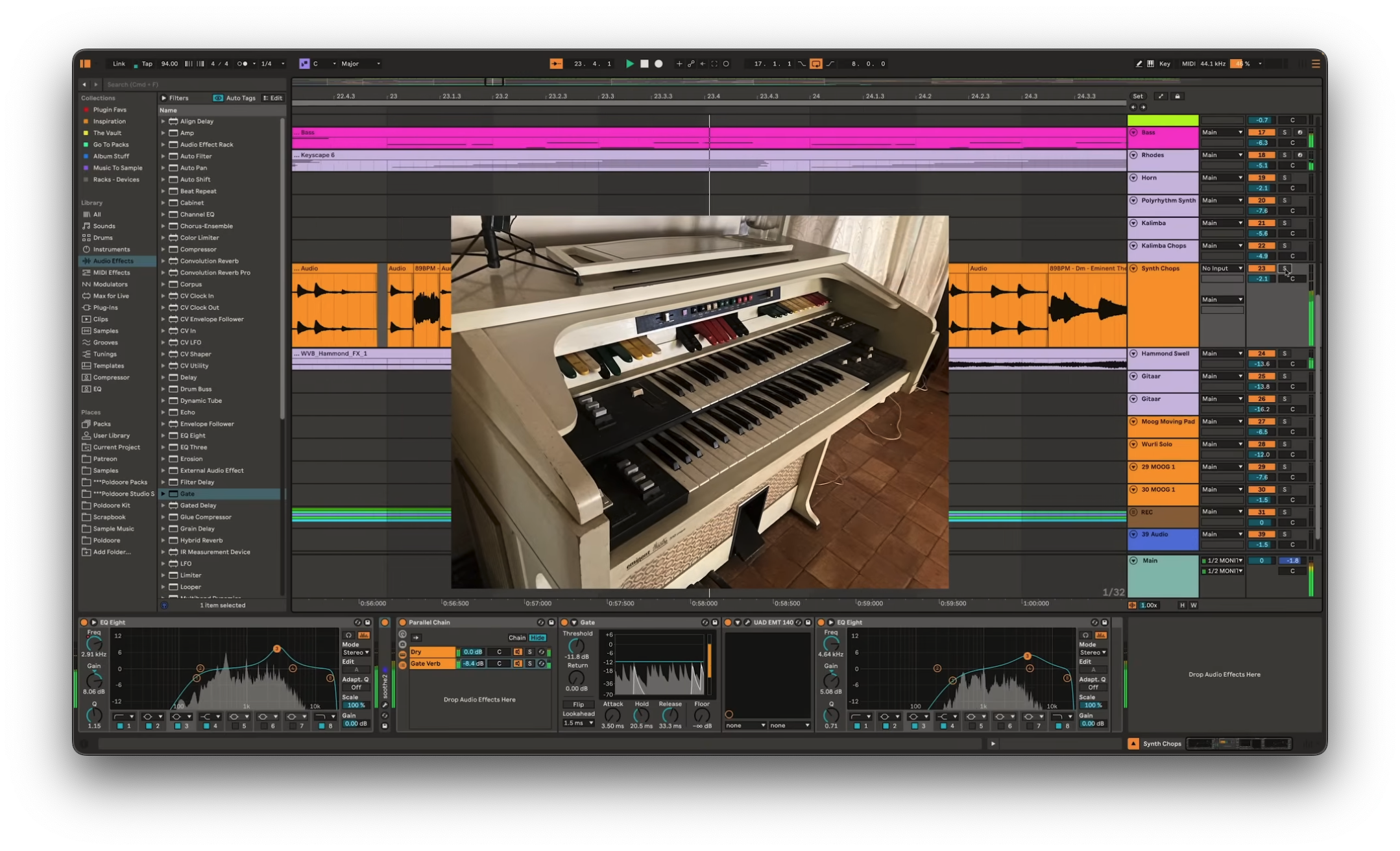
Key idea:Gate before a parallel reverb so only loud hits trigger short bursts.Process / settings:- Source loop recorded on an
Eminem 310organ and run through achase blissdelay pedal. - Add a parallel reverb to the synth loop; place the gate before it so only the loudest synth hits open the reverb.
- Source loop recorded on an
Result:Rhythmic reverb accents instead of a wash over the whole loop.Notes:(non précisé).
Start 23:45 → 24:58
Glitchy drum fills
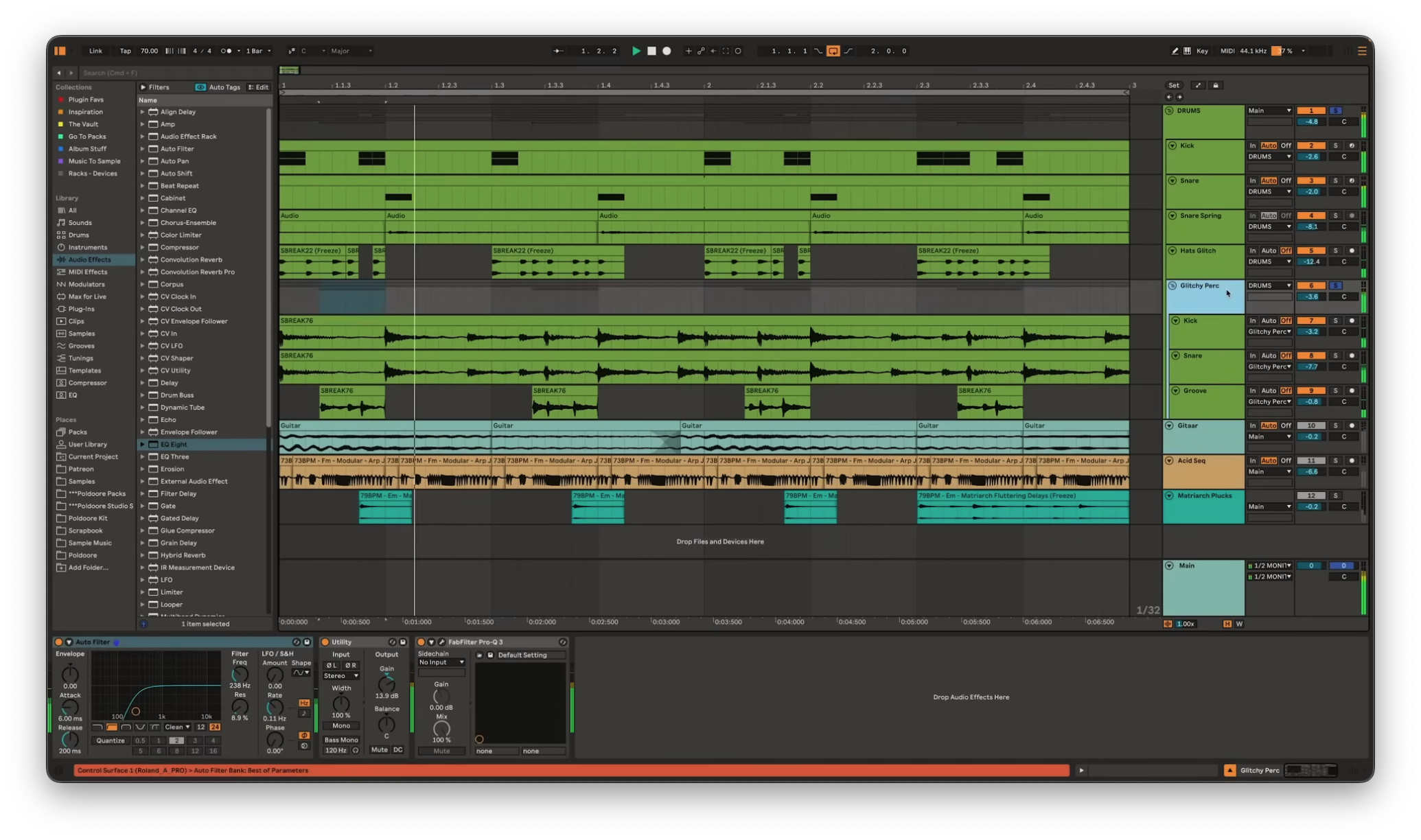
Key idea:Layer a gated break with programmed drums to add gritty, shuffly fills.Process / settings:- Vibe: halftime drum loop + guitar, an acid‑type modular sequence, and a fluttery synth loop from a Moog Matriarch.
- Bring in a drum break pitched down to project tempo; gate it with kick in the side chain; duplicate and gate another for snare.
- Add a third channel with the same break at double tempo; isolate shuffling in‑betweens and gate to focus on transients (no side chain here).
- Bring back programmed drums; the gated layer auto‑adapts to MIDI changes (kick/snare) vs manual chopping.
Result:Organic, glitchy percussive texture that complements the main groove.Notes:(non précisé).
Start 24:58